
Scenario: The User Field if added in the form will be working fine in the LeadSquared panel. However, if we have created a User Field and added it to a form that is linked to a Custom UI, then the user field’s dropdown option will not reflect in Custom UI.
In the below screenshot, the user field DST is added to the form and while previewing it is showing the dropdown list as expected.
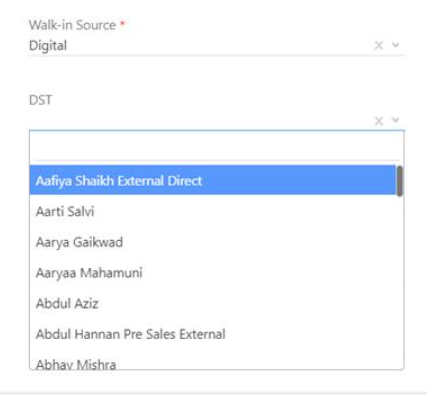
However, the same DST field dropdown is not reflected when viewing through Custom UI/ Portal.

In the below screenshot, the user field DST is added to the form and while previewing it is showing the dropdown list as expected.
However, the same DST field dropdown is not reflected when viewing through Custom UI/ Portal.
Solution:
This is because we do not support user fields in portals and the Custom UI also works as portal forms because we have exported HTML and built UI.


