
 Error Says: “Refused to display ‘https://in21.leadsquared.com/’ in a frame because it set ‘X-Frame Options’ to ‘sameorigin’.
Hi Team,

Issue and Context:
You might encounter an issue where a custom integration required the LeadSquared iframe to pop-up as an embed in an external website, such as telephony panel, but the error message might come something like this:

Upon investigating further, we find this error message coming from the console:

Upon reading carefully, one finds the error message to be:

Refused to display ‘https://byjus.leadsquared.com/’ in a frame because it set ‘X-Frame Options’ to ‘sameorigin’.

Resolution:
Please note that this occurs due to the toggled enablement in the Advanced Configuration setting, available under Settings > Profile > Organization Settings. The setting is called “Disable access of LSQ App in Iframe”:
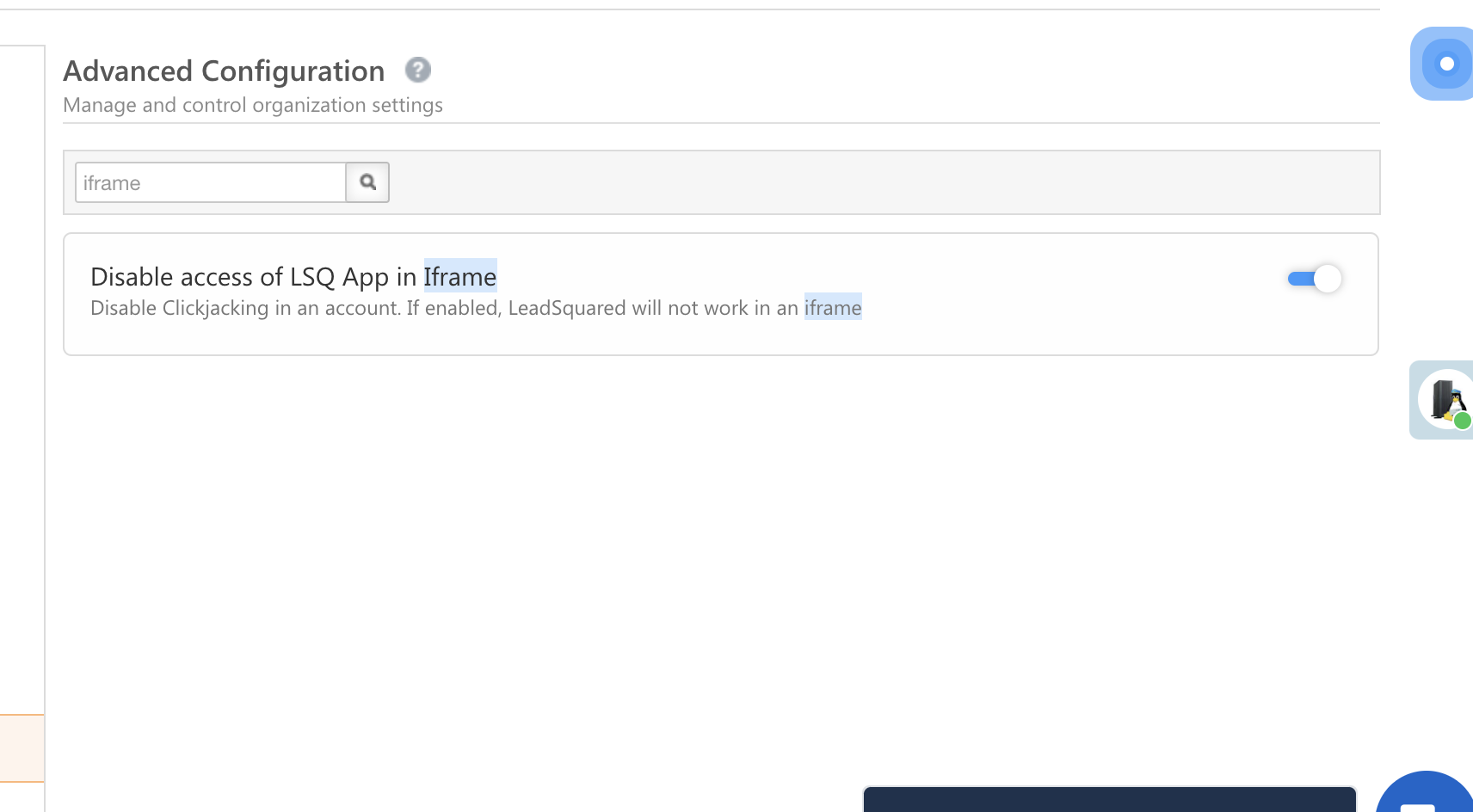

If “Disable access of LSQ App in Iframe” is enabled, as is self-explanatory, LeadSquared will not work in an Iframe. This has to be disabled and the error will be resolved.
Thanks for reading. Please let me know in case of any additional doubts or issues!
Dev Case – #1158224


