
Hindware quotation generation and process
Opportunity type: Quote
Activity type: Line item added/updated
Quotation gets generated when an opportunity is created and this is seen only via custom UI/app for users and not in SA.
These quotations are generated and all the calculations and date are done by calling SAP API.
In these quotations i.e opportunity you can add the activity line item added or updated and these activities will be posted in activity history of LSQ and in custom UI these will be seen as line items and the customer here can delete these as well.
When you delete any activity in quotation the following process is followed:
1)Delete on opportunity
2)Update opportunity
3)Delete from cache
Note: The custom UI will always show the data as per cache
Below are few errors faced by customer in quotations:
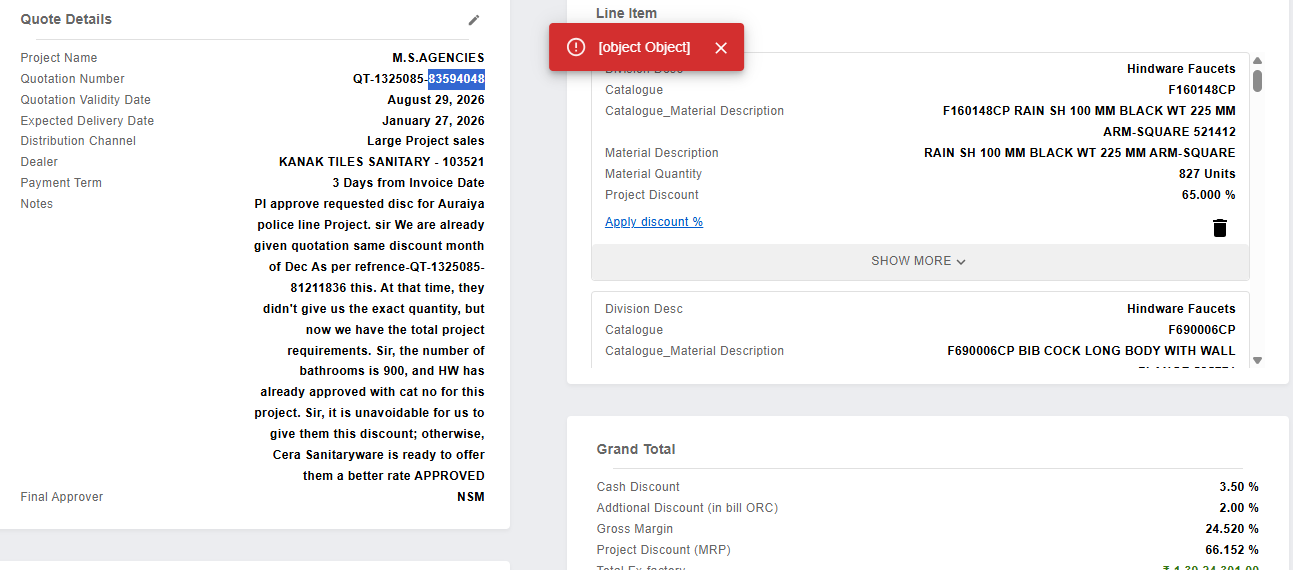
1)[Object][Object] error: Here when the try deleting the line item they get this error.
Reason: When they delete any line item the activity gets deleted on opportunity (even in the activity history this will not be available) but on UI it will seen be seen because of which the customer tries to delete in the custom UI again this error occurs.
When they delete activity it initially deletes from opportunity and this API worked correctly, but later they have to update the opportunity via API which fails, the reason for the failure can vary and can be checked in API logs using the opportunity ID and hence in cache it is still visible due to which the custom UI shows the line object and they get this error while deleting.
2) Exfactory not found
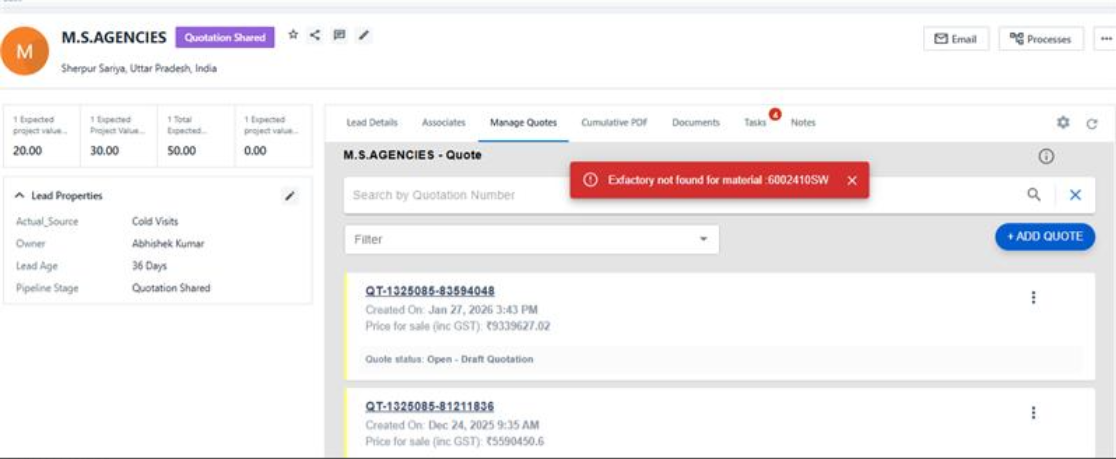
This error occurs while cloning the quotation. The quotation cloning happens via SAP API and they fetch our data and help clone the quotation.
This error is thrown from them and they need to check the same.
Note : There is a dedicated teams group for Hindware issues for understanding purpose with PS, lapp dev and CSM.


