
Scenario: How do we support HTML Comments code in Email Campaign
Solution: As of now we do not support comments directly from the Email Campaign Rich text Editor. Kindly refer the below steps to get the comment supported in the Email Campaign.
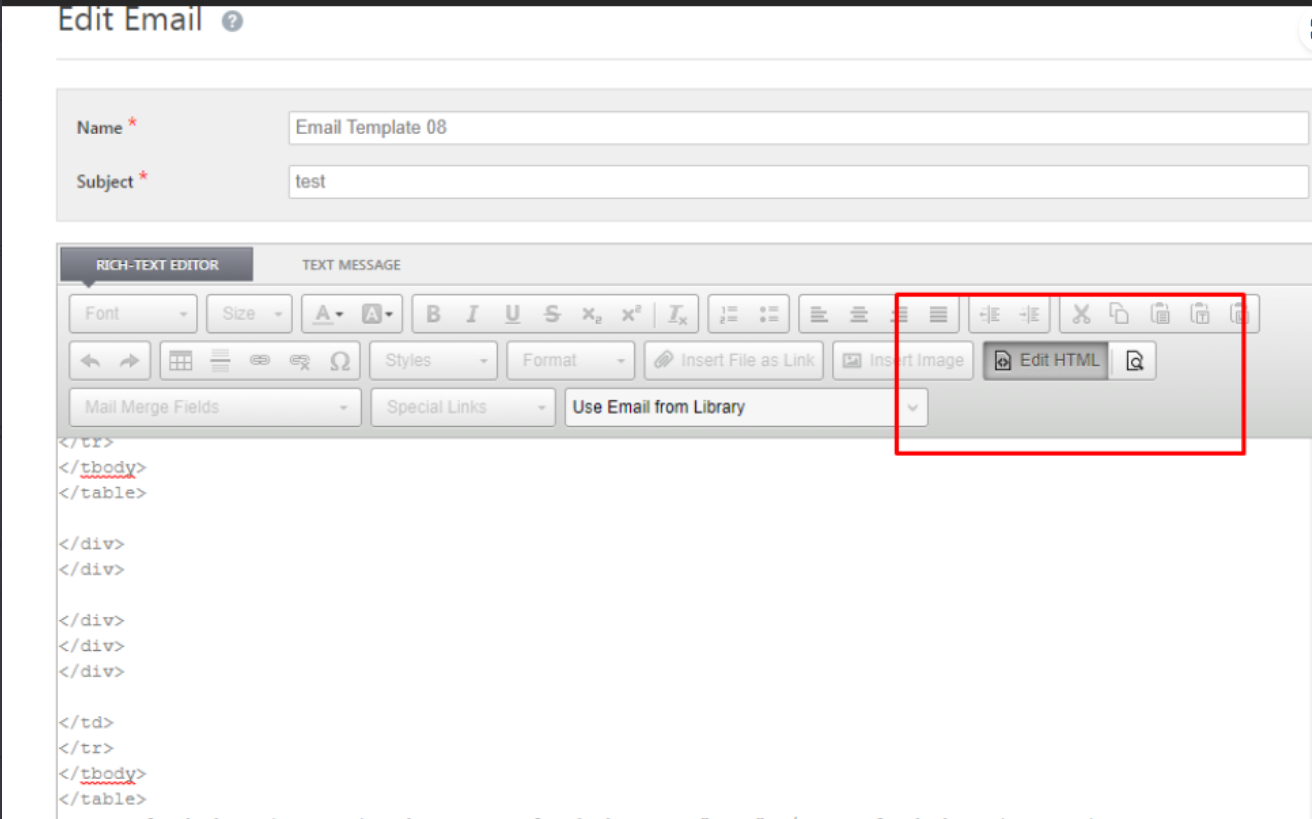
1. Kindly paste the HTML code in Email Library Rich text Editor by selecting Edit HTML. Then Save and Publish.
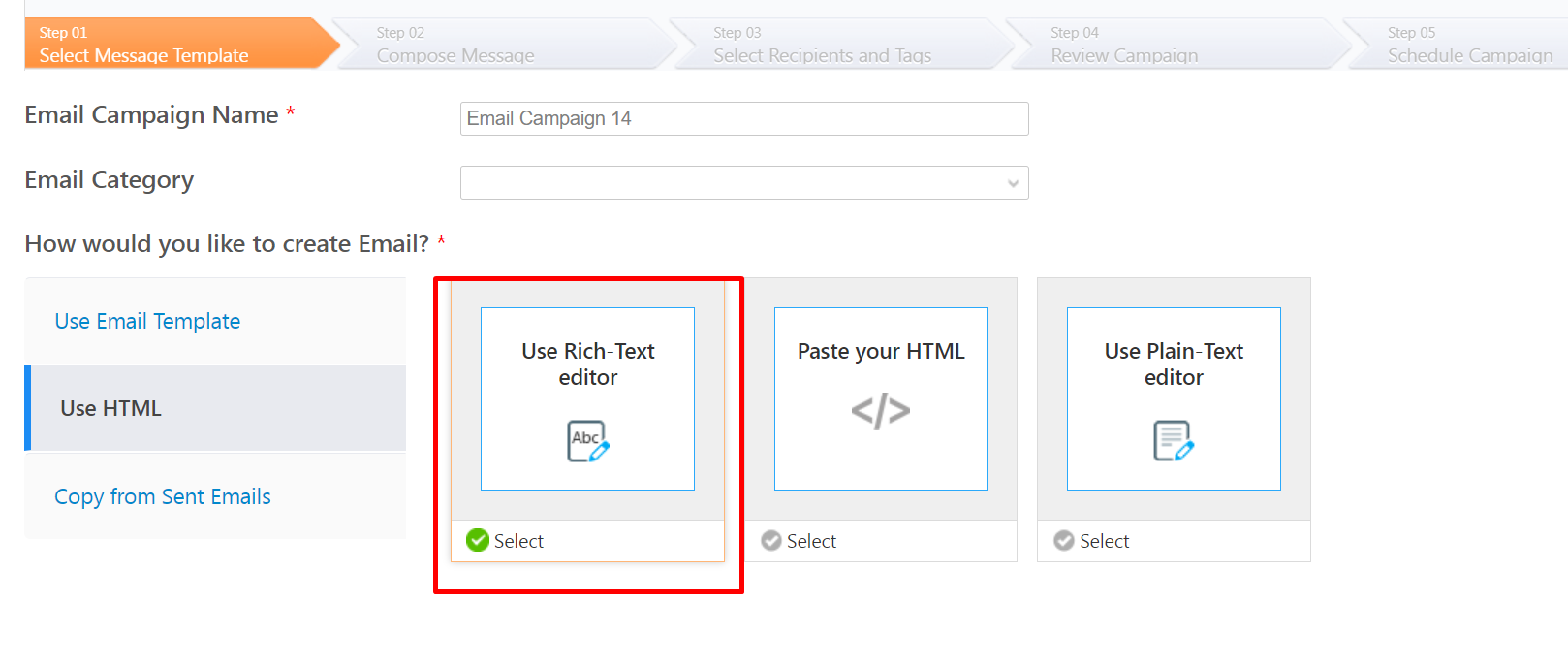
2. Create an Email Campaign and select the HTML Rich text Editor.
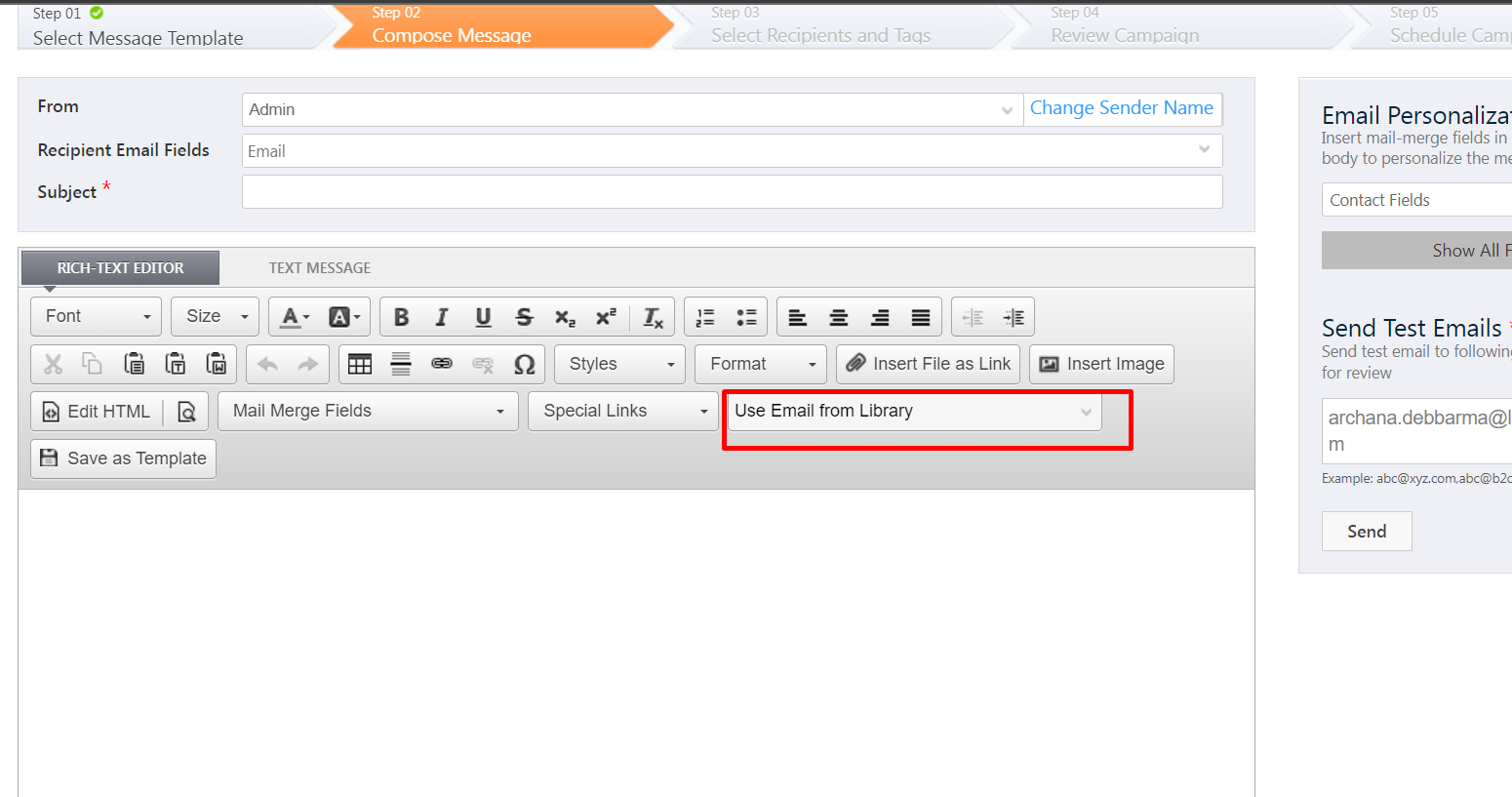
3. Select the email template from email library Template.
1. Kindly paste the HTML code in Email Library Rich text Editor by selecting Edit HTML. Then Save and Publish.
2. Create an Email Campaign and select the HTML Rich text Editor.
3. Select the email template from email library Template.


