
Kindly refer the below steps to check if the user have access to Facebook Page-
1. Login to facebook.com with the credentials, which has
the page access.
2. On LHS click on pages
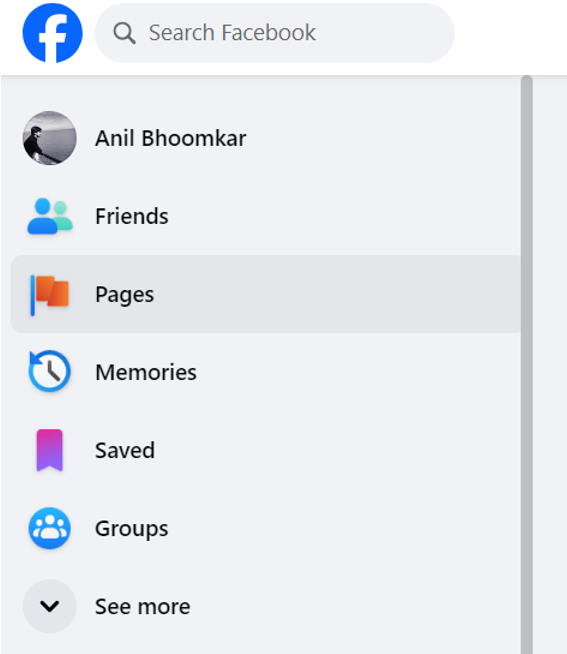
3. Click on the page you are trying to connect.
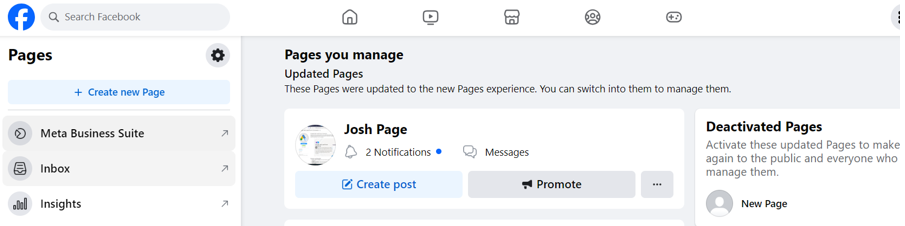
2. On LHS click on pages
3. Click on the page you are trying to connect.
4. On LHS
you should see Settings option enabled
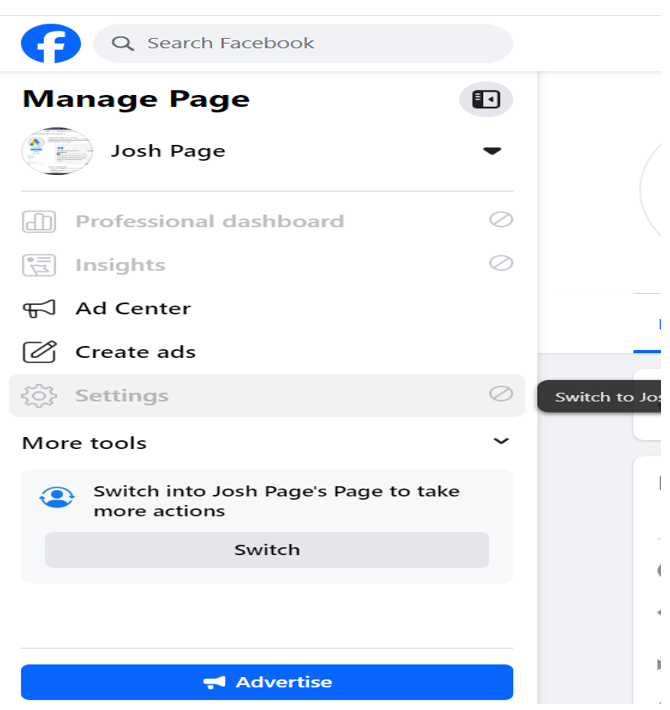
5. If Settings option is not enabled, click on ‘Switch’ button, you should be seeing option of Settings on LHS (if still settings is not enabled, it means this user is not the admin of the page you are trying to connect).
6.Click on Settings option on LHS
7.Click on
New Page Experience
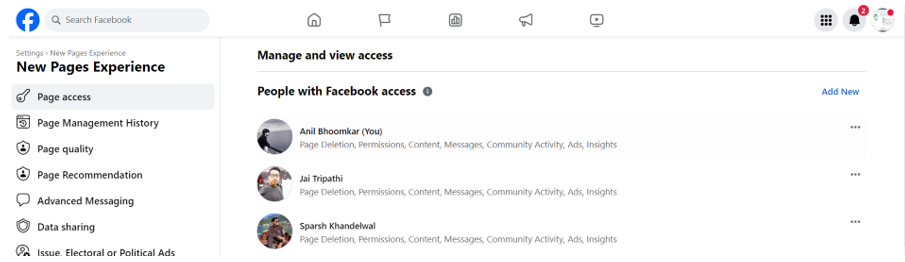
8.Make sure
the user with which you are connecting in LSQ in listed under ‘People with
Facebook access’
If not listed, try adding it by clicking on ‘Add New’ option on RHS
If not listed, try adding it by clicking on ‘Add New’ option on RHS
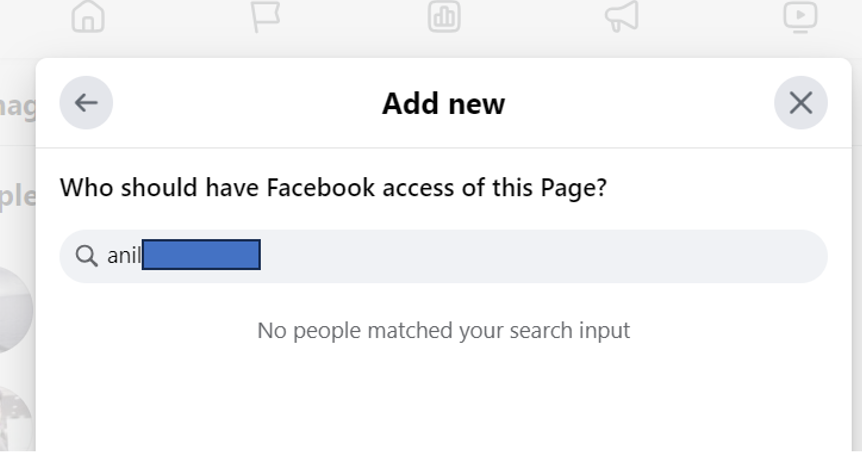
9. Search either
with name / email address / facebook profile id (should be available in the
website url when you navigate to the users profile [copy the id after
facebook.com/])

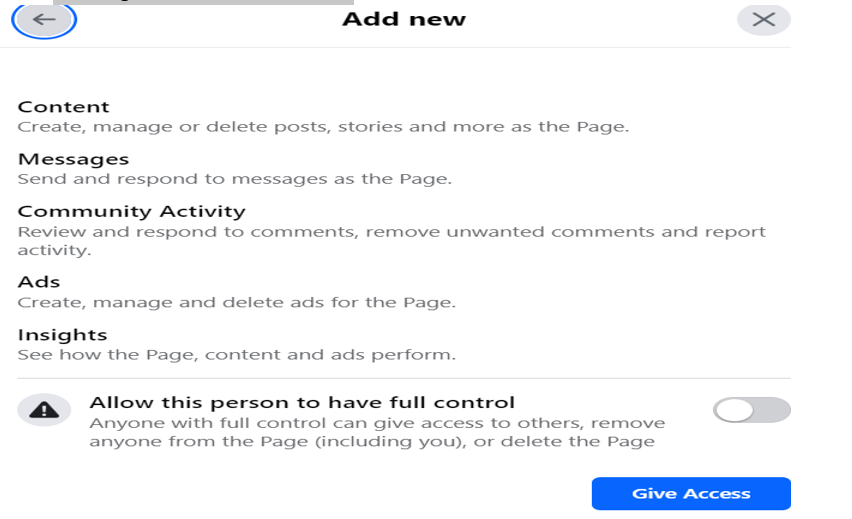
10. Make sure
to give full access to the user
11. If user
is still not getting listed, please check with Facebook team
12. Once you
give access to the user, please navigate to Profile >> Settings &
Privacy >> Settings >> Business Integrations & remove LSQ Lead
Ads Connector app. (If you don’t see Business integrations, please switch back
to your main account [as you had switched to the page in 5th step
above], follow the same path Profile >> Settings & Privacy >>
Settings >> Business Integrations to get to the LSQ app)
13. Come back
to lsq & try connecting the same account once again (make sure to select
all the permissions & all the pages even if customer is not running any
campaigns on other pages, it is recommended to select all the pages while
connecting the account to avoid future consequences related to pages, if
required later from lsq connector view these pages can be deleted.)


