
Hi Team,
Recently came across an error while uploading an image for Jaro education.
Error:
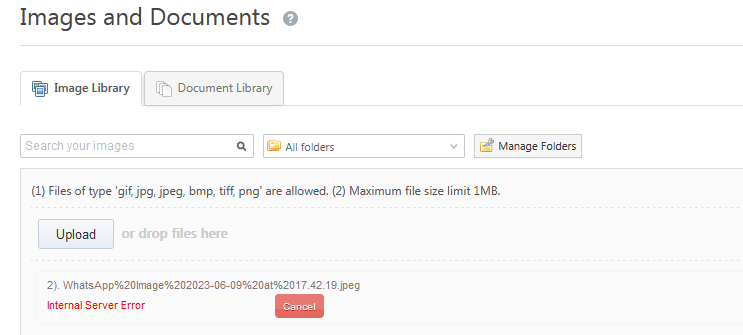
File name earlier – WhatsApp Image 2023-06-09 at 17.42.19
File name changed – Jaro_Img
If the above error shows up, please edit the file name of the image and then re-save. The error was due to special characters in the file name which breaks the process of uploading and shows the error.
Post-saving try uploading the image, it will get uploaded successfully.
Please Note: Files of type ‘gif, jpg, jpeg, bmp, tiff, png’ are allowed. Maximum file size limit 1MB.
Dev POC – Manjesh Shetty
Thanks,
Kiran
Dev POC – Manjesh Shetty
Thanks,
Kiran


