
Issue(s) reported:
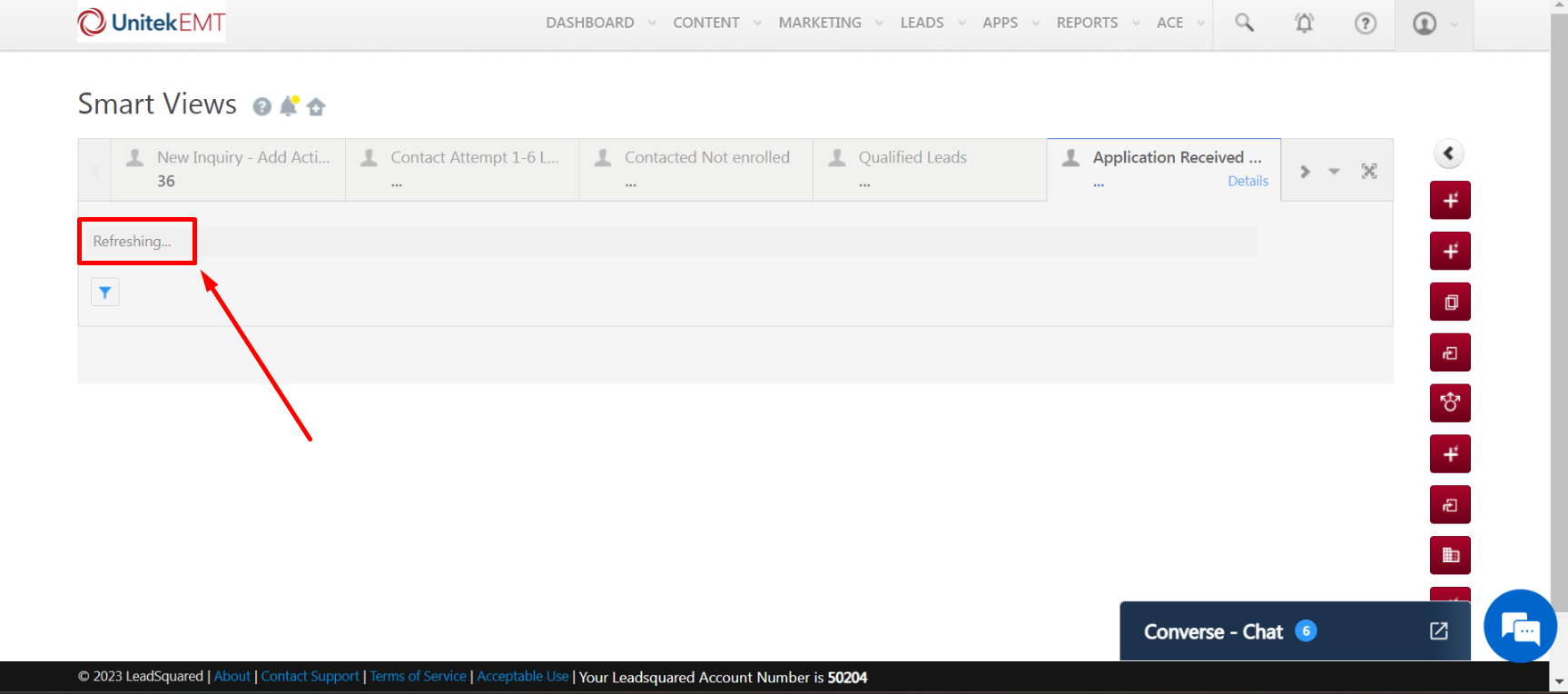
> Smart view tab(s) stay put in the refreshing stage. (not custom tab)
> Screen freezes upon opening the specific tab(s).
Screenshot for reference:
Solution:
Kindly ensure the following:
1. The user has all the necessary permissions to view the data (Possibility of change in permission template or assignment of a different set of permissions)
2. The user did not change teams or the smart view assigned to the particular user was not changed
3. The user’s browser cache is cleared
Re-assigning the smart view did not work in this case however it is recommended to perform the same before moving ahead.
> Smart view tab(s) stay put in the refreshing stage. (not custom tab)
> Screen freezes upon opening the specific tab(s).
Screenshot for reference:
Solution:
Kindly ensure the following:
1. The user has all the necessary permissions to view the data (Possibility of change in permission template or assignment of a different set of permissions)
2. The user did not change teams or the smart view assigned to the particular user was not changed
3. The user’s browser cache is cleared
Re-assigning the smart view did not work in this case however it is recommended to perform the same before moving ahead.
Actual solution:
The user’s default tabs were restored using the “RESTORE DEFAULT TABS” option under the “List All Tabs” menu post which the smart view tab was functioning as expected.


