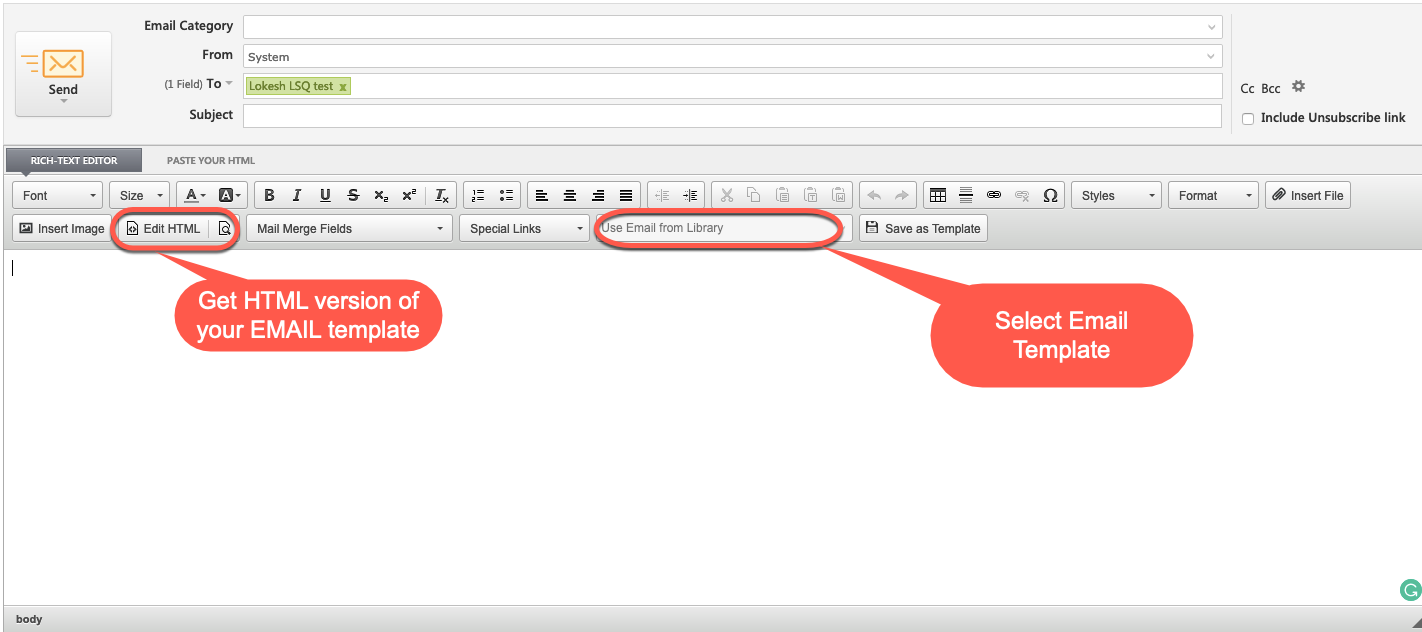
Description: Steps to Download the HTML Version of Your Email Campaign
Solution:
- Open the email campaign and select the “Save as Template” option to store the created content as an email template.
- After saving and publishing the template, close the email campaign.
- Navigate to any lead and click on the “Send Email” button.
- In the Email Editor, select the appropriate email template from the available options.
- Once the template is loaded in the Email Editor, click on the “Edit HTML” button to view and download the HTML version of the email.