
Hi Team,
Issue – Recaptcha code was not working on the landing page.
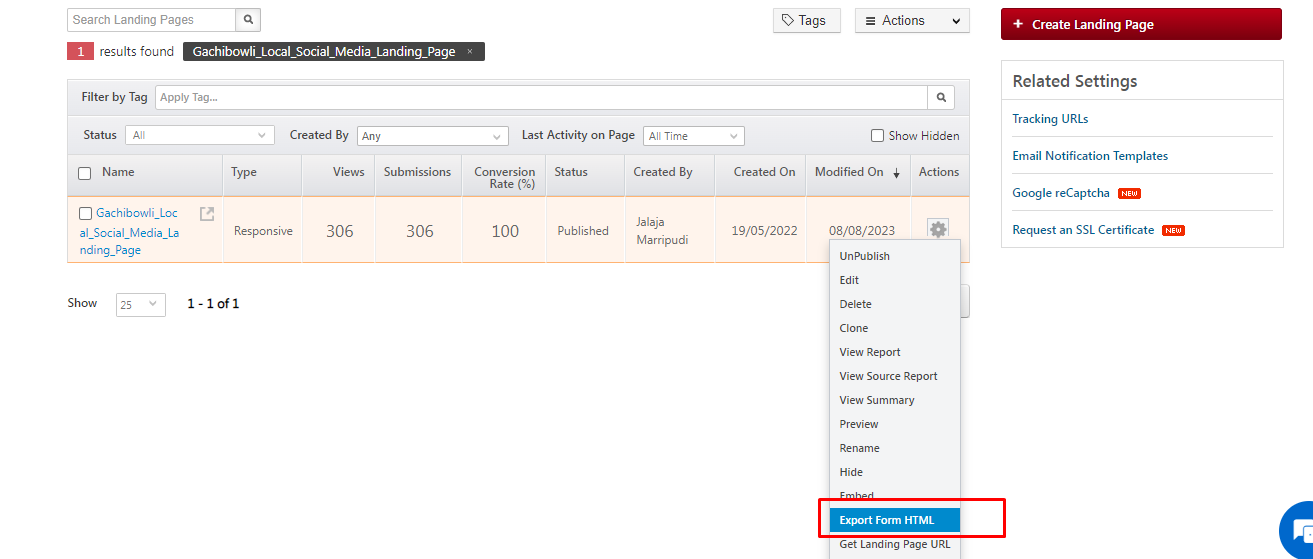

Analysis:
While exporting the Form code from landing pages we have 3 options Without style, with style, and with style beta.
Recaptcha code is visible only for with style and with style beta version.
The client added the captcha code to the without style version as they would have the freedom to set the form style as per their requirement. Now we saw that while submitting the form Reacpatcha option is visible but we are able to bypass the checkbox option and the form is getting submitted without checking the Captcha box.
RCA– We saw that the code that the client has added is incorrect and that the exported form without style will not work by default.
Resolution: A custom code must be used if the client wants to add Reacaptcha code without style forms.
Below is the code
<script>
document.addEventListener(“DOMContentLoaded”, () => {
try {
lsqForm.addEventListener(‘submit’, function (event) {
var formValid = true;
try {
var googleRecaptchaV2Wrapper = document.querySelector(“[action=’https://web.mxradon.com/t/FormTracker.aspx’] #sec-google-recaptcha-wrapper”);
if (googleRecaptchaV2Wrapper && grecaptcha) {
var reCaptchaResponse = null;
try { reCaptchaResponse = grecaptcha.getResponse(); } catch (ex) { _log(ex, $ltype.ERROR); }
if (reCaptchaResponse.trim() == ”) {
formValid = false;
}
}
if (!formValid) {
event.preventDefault();
}
}
catch (e) { console.log(e); formValid = false; }
return formValid;
});
} catch (ex) {
console.log(ex);
}
});
</script>


