

ISSUE
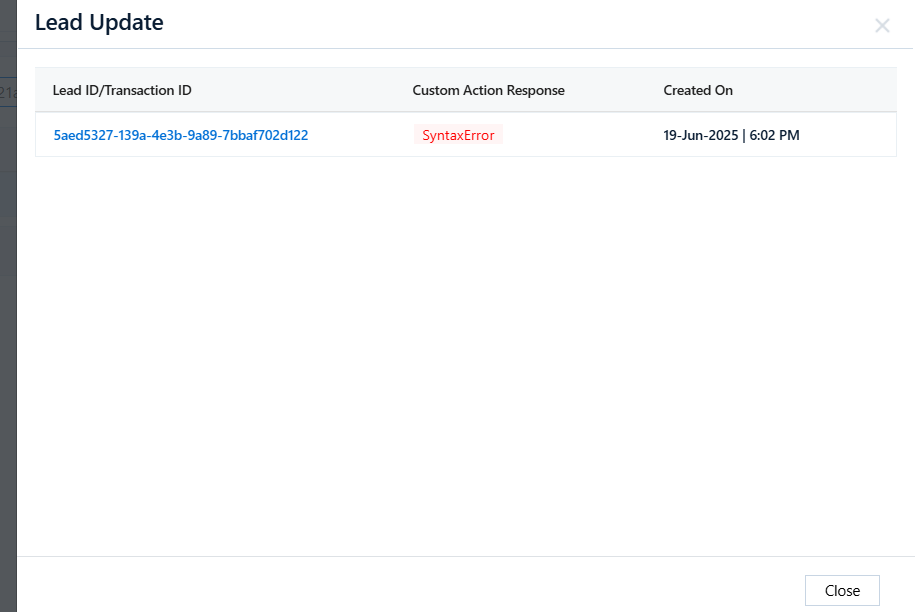
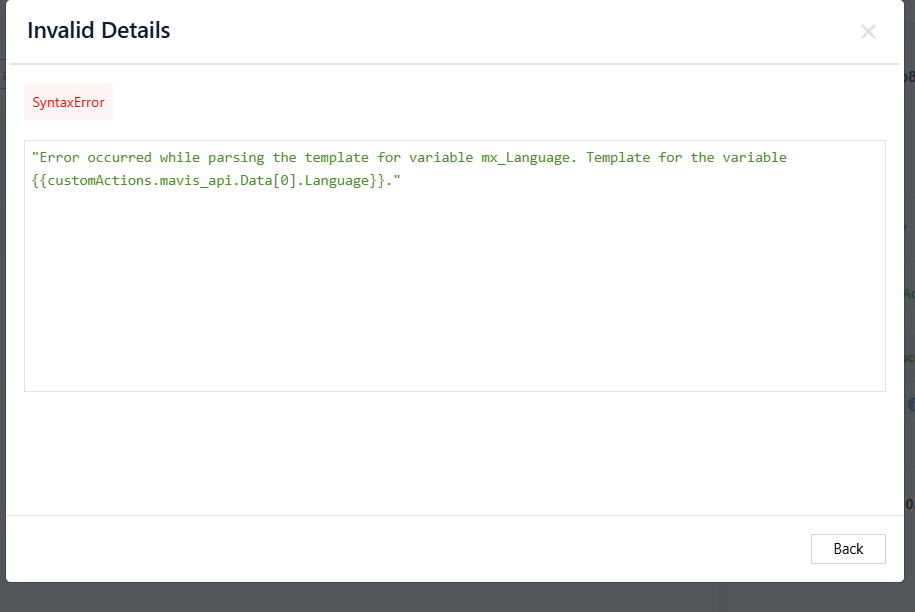
If the customer has any ULC apps where Mavis data is being consumed and updated on the lead, and if any of the requests fail with the below error, please check both the data available in the Mavis table and the data being passed
Flow: The Mavis API returns the result, and this result is then updated on the lead through the Lead Update API. In the Lead Update Log, you will see the following error.
Flow: The Mavis API returns the result, and this result is then updated on the lead through the Lead Update API. In the Lead Update Log, you will see the following error.

Possible Cause
The data passed in the request will be different from the data available in Mavis, so the Lead Update API fails, as the data was not fetched from the Mavis API

example:
The customer’s Mavis data has the value ‘Andhra Pradesh’ with the corresponding language set to ‘Telugu’. However, in the request, the customer entered the state as ‘Andra Pradesh’, which caused the Mavis update to return null data and subsequently led to the Lead Update API failure.


