
Problem statement: Customer is facing an issue where some extra characters were getting added at the end of notes field when they are trying to export the leads.
| Prospect ID | Lead Number | First Name | Last Name | Email | Phone Number | Lead Source | Notes |
| 776b1393-1c53-11f0-8472-06e159cc7f8f | 348536 | Saravanan | 91 9789798780 | Mall Activity | not interested | ||
RCA: Upon checking, we have observed that there are some additional spaces added at the end because of which the characters are getting added since the notes field is rendered as HTML.
Solution: To resolve this issue, please use the option ” Export as plain text” which is available in the lead fields section.
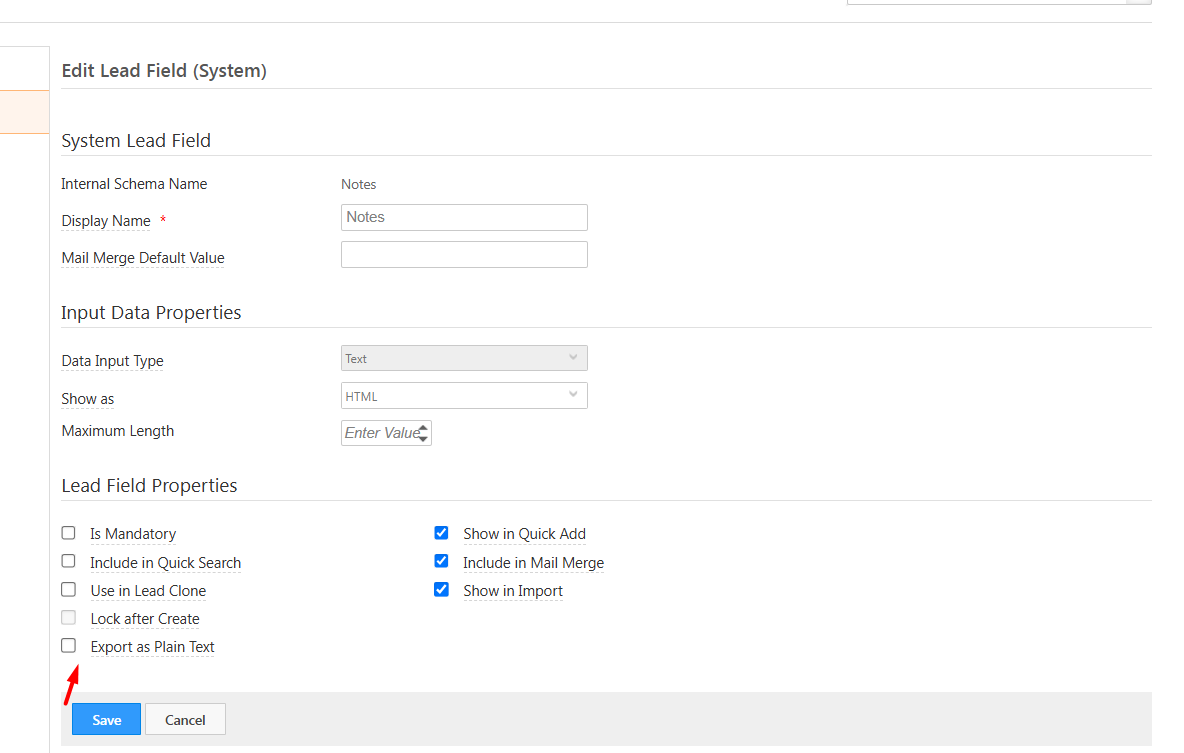
This option will ensure that the text that is present in the field will be exported and the additional spaces will be ignored.


