
If the error while creating the enquiry is Enquiry already exists error, below checks need to be done.
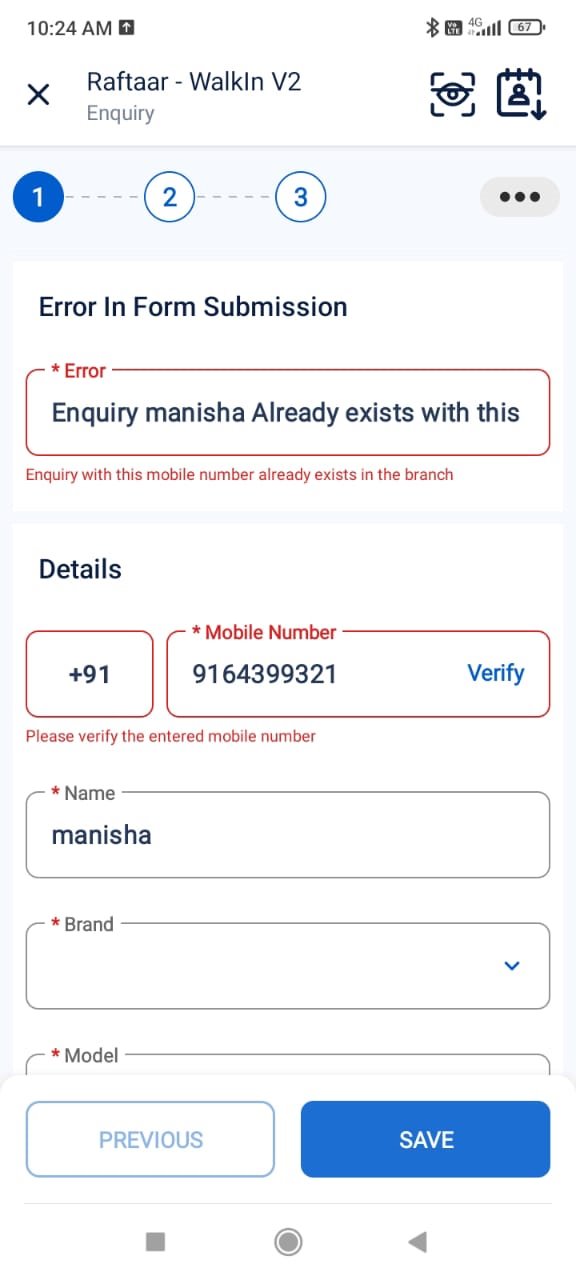
Check Existing Enquiries:
- Click the “Enquiries” button, Located in the Bottom Right end of the Screen and search with mobile number.
- If an enquiry already exists with this number within same branch as the user’s branch who is trying to add the enquiry, check for the current owner and inform to follow the below steps to get the access of that enquiry.
Search Custom URL:
- If the enquiry doesn’t exist in that branch or if it is with any other sales user of that same branch, navigate to the Smart views at the bottom you will find and option in Custom Apps with the name Search contact Info
- Use the enquiry number to locate the existing enquiry.
- If found, request access to get the access of the enquiry.
A message “Enquiry has been successfully assigned” will be displayed to the user once the Enquiry is assigned.Alternate Approach If Get access is Not shown for the enquiry.
Change Ownership: Admin can manually update the Enquiry Owner to the DSE if the enquiry branch code and the User Branch code is same.
If the enquiry cannot be found using the mobile number in the “Manage Leads” page:
- Click on “Advanced Search” within “Manage Leads.”
- In the search criteria, choose “Composite Key” contains & enter the required enquiry mobile number.
- If the mobile number you searched with differs from the phone number in the “Composite Key,” and the lead originated from an import, proceed to the next step.
- If the enquiry is not already in the “Booked” stage, change its stage to “Closed” to allow creating a new enquiry with the same mobile number.
Reach Out to respective TAM owners in case of any further queries.


