
Hi Team,
Greetings!
Issue Description: We have seen this issue in the Advance Search of the modules where the search is not showing any values, even where filters are used “Smart Views” it’s not working.
Solution : Issue is because of a Extension called McAfee WebAdvisor – which is causing the disruption in Filters.
Follow below points to get the issue sorted.
Greetings!
Issue Description: We have seen this issue in the Advance Search of the modules where the search is not showing any values, even where filters are used “Smart Views” it’s not working.
Solution : Issue is because of a Extension called McAfee WebAdvisor – which is causing the disruption in Filters.
Follow below points to get the issue sorted.
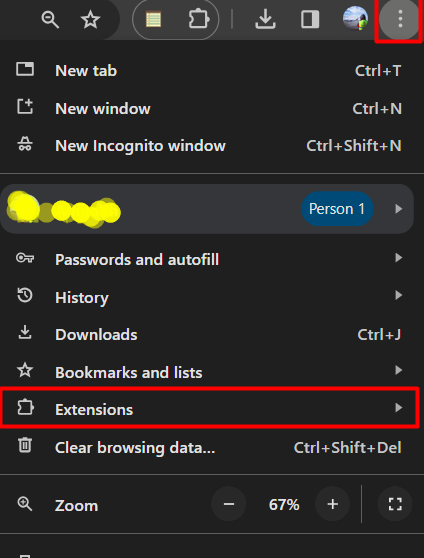
1 – Please open Google Chrome.
2 – Open Extension > Manage Extensions.
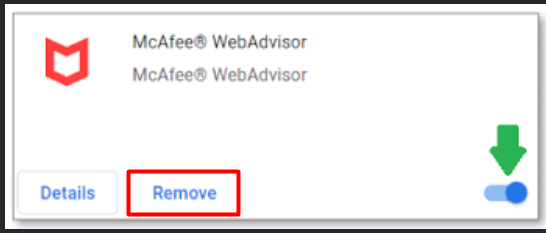
3 – There will be a extension called “McAfee WedAdvsisor” Kindly remove it from your Google Chrome.
4 – Hard Refresh your Google Chrome Browser – Press CTRL+Shift+R
Check LS Window once, the search module would be fixed.
Thank & Regards
Amitabh Tripathi
Product Support Team
Thank & Regards
Amitabh Tripathi
Product Support Team


