
Although users are adding lesser than specified characters in the ‘Notes’ tab, still the system is prompting to add lesser characters. PFB the screenshot:
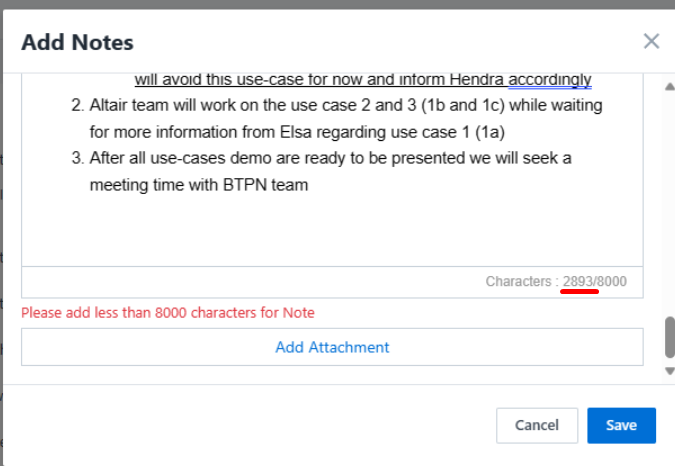
When the users are filling notes, they are copying and pasting it from some other place in the browser, due to which the HTML formatting is also copied with the same.
But when they are pasting it first in Notepad (not MS Word as it doesn’t remove HTML formatting), and then in LeadSquared the formatting gets removed due to which the error is not displayed.
If we will try manually entering 8000 characters, without copying and pasting it from any other place then the mentioned issue will not occur.


