
Issue: The client has configured UTM parameters but it is not getting captured in Leadsquared.
Steps to check:
->If the tracking script is added correctly on their website:
The tracking script should be added just before the body tag:
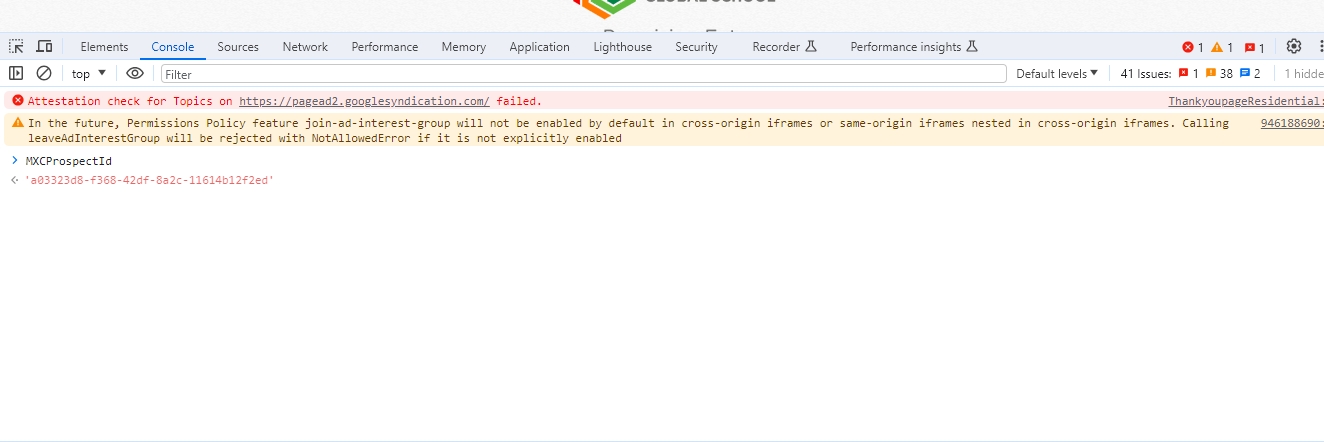
-> If the MXCProspectID is getting generated after the lead fills out the form.
Inspect the page and go to the console tab after filling out the form. Search with MXCProspectID
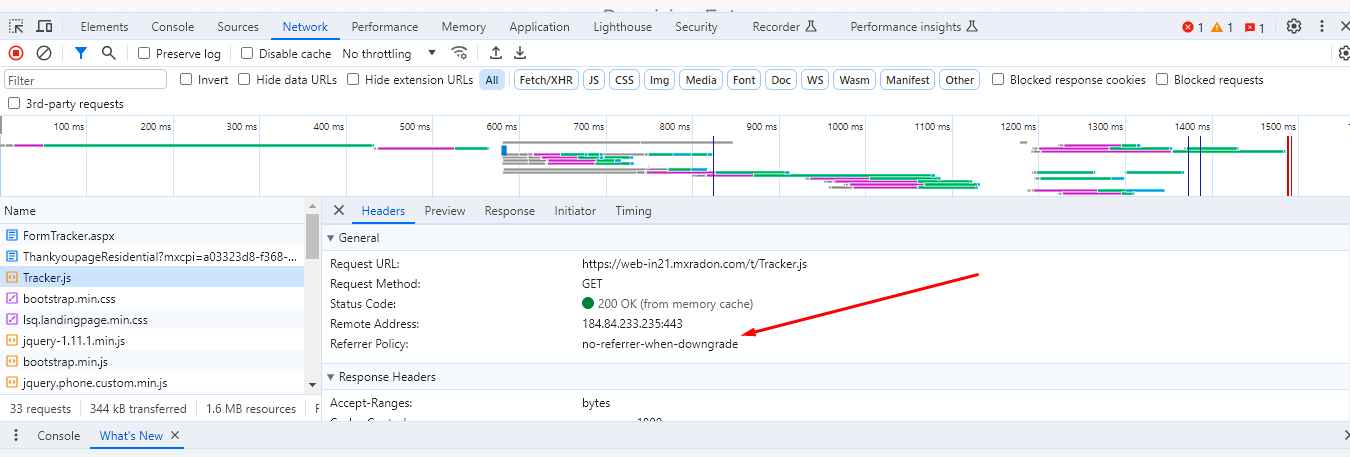
-> Check what is the policy set by navigating to the network logs in the tracker.js option.
This should be no-referrer-when-downgrade.
If all of these steps are done correctly. We need to check with the dev team as to why UTMS is not getting captured.


