
ADFS is a Microsoft service that allows you to log-in to web applications using your Active Directory (AD) credentials.
You can check if ADFS is enabled in the account by going through Settings > Security > Authentication Provider.
If Authentication Provider is selected as ADFS, then for that tenant ADFS is integrated.
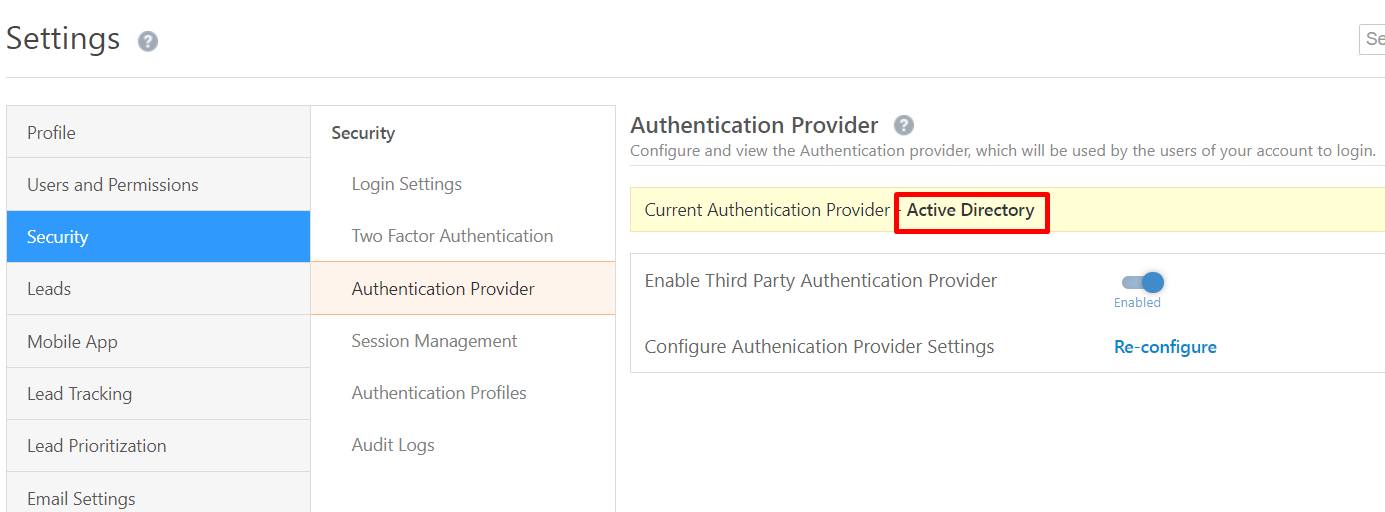
You can check if ADFS is enabled in the account by going through Settings > Security > Authentication Provider.
If Authentication Provider is selected as ADFS, then for that tenant ADFS is integrated.
Please refer to this article for ADFS integration: https://help.leadsquared.com/adfs-integration-for-sign-in-in-leadsquared/
Issues
1) Users unable to login into LeadSquared application.
Users face the below error while trying to login into the LeadSquared application with correct credentials.
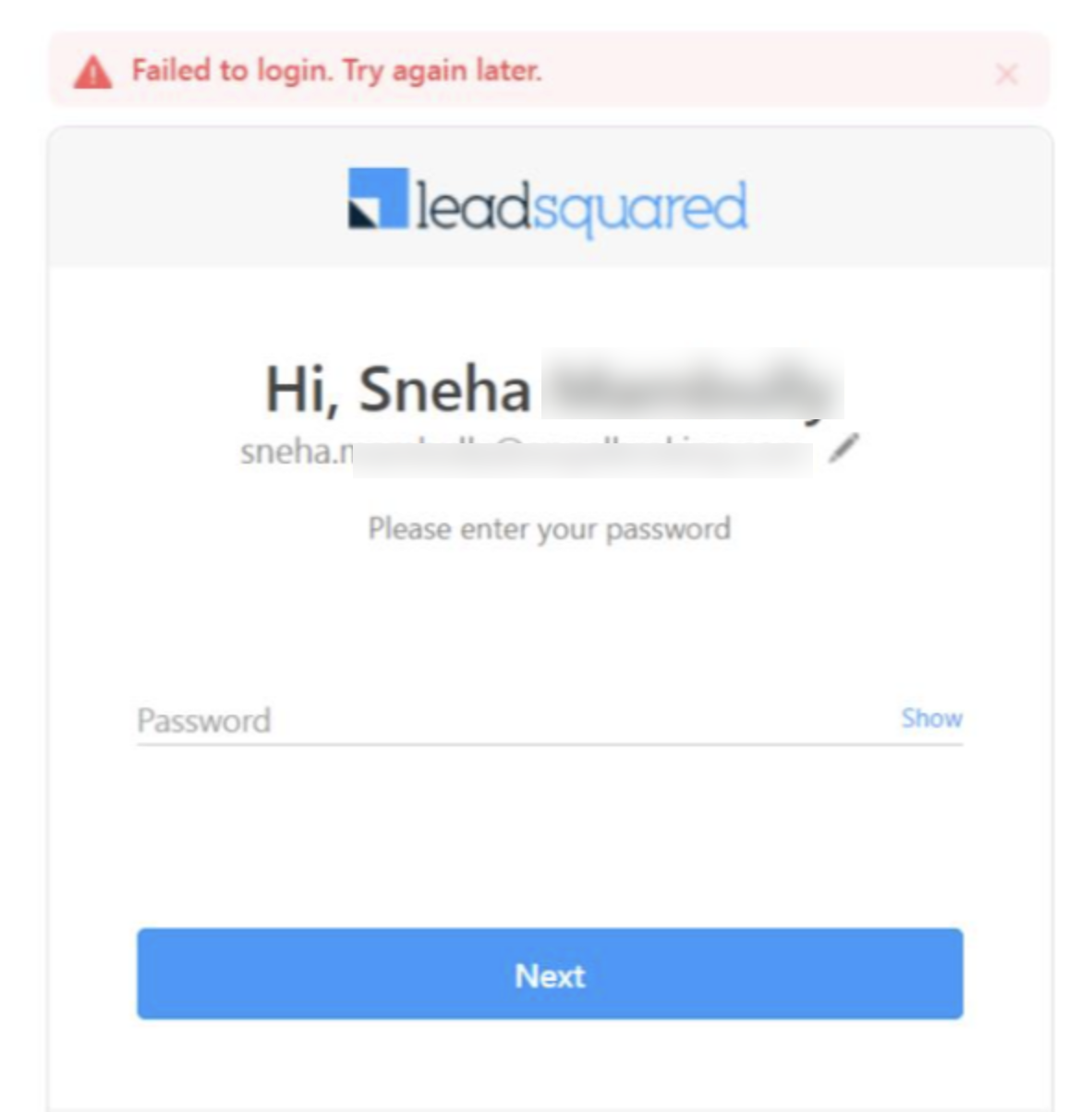
This error comes up when the client side’s Active Directory is failing. In this case, you can ask the user to reach out to their internal IT team as login authentication is handled by ADFS, not LSQ.
2) Can we disable ADFS for specific users?
Please note if ADFS is enabled, it is applied to all the users by default. It cannot be disabled for specific users as it is enabled at tenant level.
Issues
1) Users unable to login into LeadSquared application.
Users face the below error while trying to login into the LeadSquared application with correct credentials.
This error comes up when the client side’s Active Directory is failing. In this case, you can ask the user to reach out to their internal IT team as login authentication is handled by ADFS, not LSQ.
2) Can we disable ADFS for specific users?
Please note if ADFS is enabled, it is applied to all the users by default. It cannot be disabled for specific users as it is enabled at tenant level.


