
You can follow these steps to download the HTML version of your email campaign:
1) Open the Email campaign and click on the “Save as Template” option to save the created content as an Email template.
2) Once the template is saved and published close that email campaign.
3) Go to any lead and click on the Send Email button to send an email.
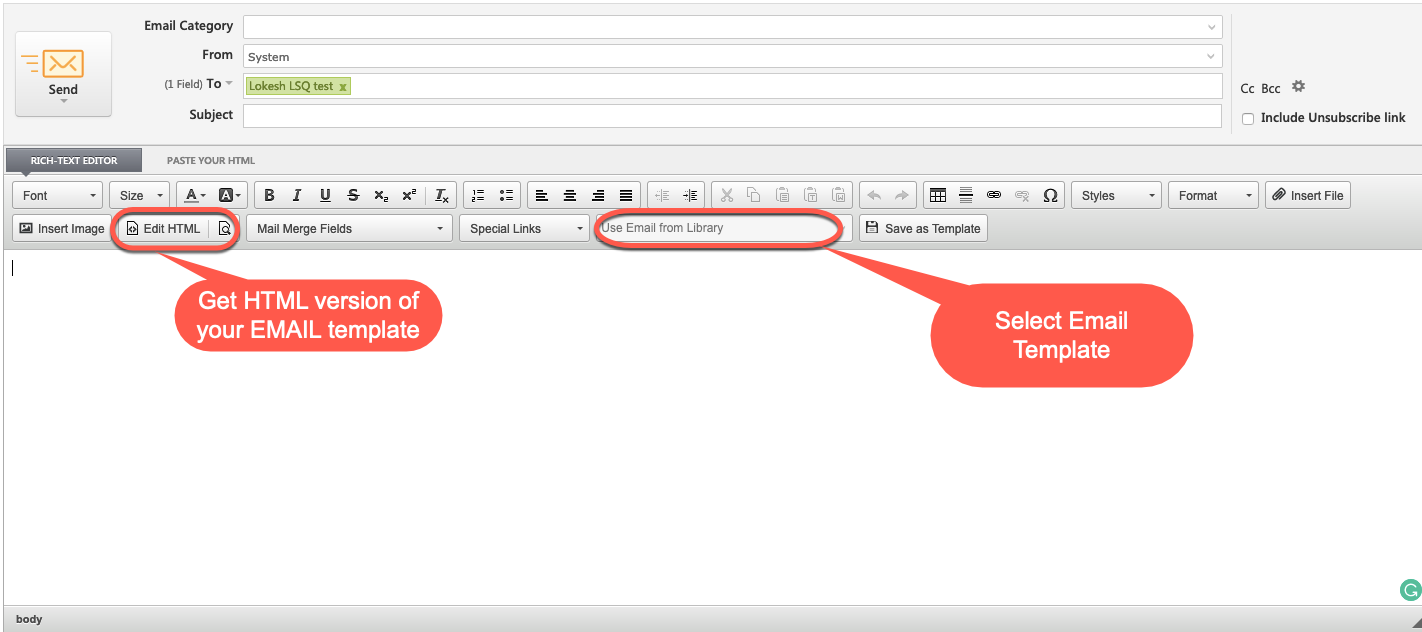
4) Here in Email Editor, you will have the option to select your email template. select the appropriate email template.
5) Once the template is loaded in the email editor you can click on the edit HTML button to get the HTML version of the email.
Hope this helps!


